Typing Speed Test

Measure your net speed, accuracy and consistency. The timer starts on your first keystroke.

1:00
seconds left
–
WPM
–
accuracy
0 / 0
characters
The timer starts when you type the first character.

How the results are measured

Net speed (WPM / CPM)
Only characters that match the text count. WPM treats every five characters, spaces included, as one word. Chinese, Japanese and Korean texts are scored in characters per minute instead.
Raw speed
Every keystroke counts, right or wrong. A large gap between raw and net speed means mistakes are costing you time.
Accuracy
The share of keystrokes that were correct. Errors you fix with Backspace still count against it, so it reflects how cleanly you typed.
Consistency
How steady your speed was from second to second. 100% means a perfectly even pace.

Tips for faster typing

  • Sit upright and rest your fingers on the home row (ASDF JKL;).
  • Keep your eyes on the text, not on the keyboard.
  • Slow down until accuracy stays above 95%; speed follows.
  • Short daily sessions beat occasional long ones.
Game Guide

Fast Typing Guide, Rules, and Tips

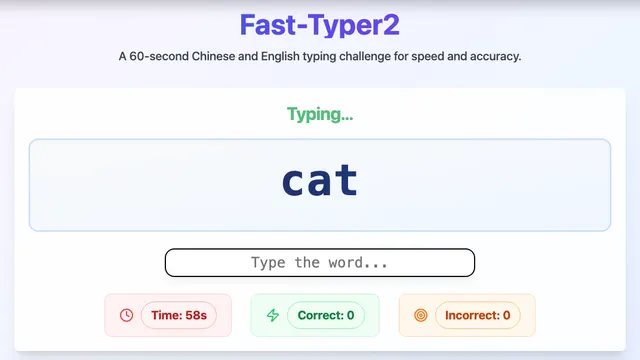
Fast Typing is a typing practice tool with live statistics. Choose a type of text, from everyday sentences and English phrases to code snippets, numbers, and symbols, or paste in your own. Then type it as quickly and accurately as you can while your speed and accuracy update in real time.

How to Play

  • Pick a text category and a length (short, medium, or long), or enter custom text.
  • Type the text exactly as shown; mistakes are highlighted as you go.
  • Your speed is measured in words per minute (WPM) and characters per minute (CPM), counting only correct characters.
  • Accuracy is the share of keystrokes that were correct, so fixed mistakes still count. The results show which characters you miss most and a speed chart for every second.

Strategy and Tips

  • Put accuracy first; speed follows once your fingers stop correcting mistakes.
  • Keep your fingers on the home row (ASDF and JKL;) and return to it after each key.
  • Look at the text, not your hands, even if it feels slower at first.
  • Use the error breakdown to find your weakest keys and practice texts that contain them.

Controls

Keyboard

Use your physical keyboard. Pick a category, length and time limit, then type straight onto the text; the timer starts with your first keystroke. Press Esc to restart and Enter on the results screen for the next text.

Background

Touch typing was developed in the late nineteenth century for typewriters, and the WPM measure (five characters counting as one word) became the standard way to compare typists. A typical casual typist reaches around 40 WPM, while practiced typists often exceed 70.

Frequently Asked Questions

How is WPM calculated?

WPM is correct characters divided by five, divided by the minutes spent typing.

Can I practice with my own text?

Yes. Enter custom text to practice anything, such as work documents or a language you are learning.

How can I type faster?

Aim for high accuracy, keep your eyes on the screen, and practice a little every day. Our guide to improving typing speed has a full routine.